Start advertising
Propworths.com — Global Property

Advertise With Propworths

Create your own ad, upload it, pay online, and go live once approved. Fully self-service — reach 2.4M+ property buyers across 185 countries.

2.4M+
Monthly Visitors
8.2M
Searches / Month
1.8M
Enquiries / Month
350K+
Active Listings
185
Countries
92%
High-Intent Buyers
68%
HHI > $80K
Premium, high-intent buyers and sellers that traditional advertising can't reach.
Pay only when your ad is approvedNo contracts, no lock-in24-hour human reviewSeen across 185 countries
Placements

Where Your Ad Can Appear

Choose the category that matches your business. Each has specific placements with pixel-perfect ad sizes.

Transferring Attorneys & Conveyancers

Listing sidebar (300×250), transfer calculator (600×200), buyer emails (600×150)

Most Popular

Your ad appears on property listing pages, transfer cost calculator results, and buyer confirmation emails — reaching buyers when they need conveyancing.

Listing Sidebar

300×250 px — detail page

$0.12/click (CPC)

Transfer Calculator

600×200 px — result card

$0.10/click (CPC)

Buyer Email

600×150 px — confirmation

$0.08/click (CPC)

Bundle (all 3)

All placements + priority

All placements · Min $50 deposit

Bond Originators & Mortgage Brokers

Mortgage calc (600×200), affordability calc (600×200), listing finance (300×250)

High ROI

Reach buyers calculating affordability and mortgage repayments. Ads appear on calculator results and finance sections.

Mortgage Calculator

600×200 px — result CTA

$0.12/click (CPC)

Affordability Calc

600×200 px — pre-approval

$0.10/click (CPC)

Listing Finance Tab

300×250 px — finance card

$0.12/click (CPC)

Finance Bundle

All 3 + lead capture

All placements · Min $50 deposit

Home Inspectors & Surveyors

Listing detail (300×250), viewing confirmation email (600×150)

New

Reach buyers scheduling viewings and actively considering purchases.

Listing Detail

300×250 px — inspection card

$0.10/click (CPC)

Viewing Email

600×150 px — confirmation

$0.08/click (CPC)

Inspector Bundle

Both + profile page

Both placements · Min $50 deposit

Insurance Providers

Buyer journey (300×250), rental listings (300×250)

Position your insurance brand alongside purchase and rental flows.

Buyer Journey

300×250 px — post-enquiry

$0.10/click (CPC)

Rental Listings

300×250 px — tenant insurance

$0.08/click (CPC)

Insurance Bundle

Both + brand page

Both placements · Min $50 deposit

Moving & Relocation Services

Post-enquiry (600×200), international listings (728×90)

Reach people buying or renting who need moving services — especially cross-border buyers.

Post-Enquiry

600×200 px — "Need a Mover?"

$0.08/click (CPC)

International

728×90 px — relocation banner

$0.12/click (CPC)

Relocation Bundle

Both + profile page

Both placements · Min $50 deposit

Interior Design & Renovation

Renovation listings (300×250), new builds (300×250)

Reach buyers browsing fixer-uppers and new developments.

Renovation Listings

300×250 px — fixer-uppers

$0.08/click (CPC)

New Builds

300×250 px — interior CTA

$0.10/click (CPC)

Design Bundle

Both + portfolio showcase

Both placements · Min $50 deposit

Property Management

Rental listings (300×250), investment listings (300×250)

Reach investors and landlords listing rental and investment properties.

Rental Listings

300×250 px — management card

$0.10/click (CPC)

Investment Listings

300×250 px — management CTA

$0.10/click (CPC)

Manager Bundle

Both + profile + leads

Both placements · Min $50 deposit

Financial Advisors & Wealth Managers

Premium listings (300×600), auction pages (300×250)

Reach high-net-worth individuals on luxury and investment properties.

Premium Listings

300×600 px — half page

$0.15/click (CPC)

Auction Pages

300×250 px — finance card

$0.12/click (CPC)

Wealth Bundle

Both + investor newsletter

Both placements · Min $50 deposit

Solar & Energy Solutions

Energy section (300×250), SA listings (600×200)

New

Appear on listings where energy matters — especially SA properties and eco-friendly homes.

Energy Section

300×250 px — utilities tab

$0.08/click (CPC)
🇿🇦

SA Load-Shedding

600×200 px — solar CTA

$0.10/click (CPC)

Energy Bundle

Both + green badge

Both placements · Min $50 deposit

Security Companies

Security section (300×250), neighbourhood panel (300×250)

Your security brand in the security section and neighbourhood data panels.

Security Tab

300×250 px — security section

$0.08/click (CPC)

Neighbourhood

300×250 px — safety score

$0.10/click (CPC)

Security Bundle

Both + lead capture

Both placements · Min $50 deposit
Formats & pricing

Ad Specifications & Sizes

Your ad must match these exact specifications. Ads that don't meet requirements will be rejected during review.

Technical specs, formats & file requirements
Ad TypeDimensions (px)Min ResolutionMax File SizeAccepted FormatsLaunch CPC
Medium Rectangle300 × 250600 × 500 @2x200 KBPNG, JPG, GIF, SVG, WebP$0.12/click
Leaderboard728 × 901456 × 180 @2x150 KBPNG, JPG, GIF, SVG, WebP$0.10/click
Half-Page300 × 600600 × 1200 @2x300 KBPNG, JPG, GIF, SVG, WebP$0.15/click
Wide Skyscraper160 × 600320 × 1200 @2x250 KBPNG, JPG, GIF, SVG, WebP$0.10/click
Mobile Leaderboard320 × 50640 × 100 @2x100 KBPNG, JPG, GIF, SVG, WebP$0.08/click
Large Rectangle336 × 280672 × 560 @2x200 KBPNG, JPG, GIF, SVG, WebP$0.14/click

Accepted File Formats

PNG (preferred — lossless, transparency)
JPG/JPEG (photos, no transparency)
GIF (animated, max 3 loops, 15 sec)
SVG (vector, scales perfectly)
WebP (modern, smallest file size)

Minimum Requirements

Resolution: Exact pixel dimensions (or @2x retina)
DPI: 72 minimum (144 for @2x)
Colour: RGB colour space (not CMYK)
Quality: No blur, pixelation, or artifacts
File size: See table per placement

What Gets Rejected

Wrong dimensions or file format
Blurry, pixelated, or low-quality images
Misleading or deceptive content
Inappropriate or offensive material
Auto-play audio
Mimics Propworths UI
File size exceeds maximum

Recommended: Use PNG for static ads, JPG for photo-heavy ads, GIF for animations (max 15s, 3 loops), SVG for vector graphics. Always supply @2x resolution for retina displays.
Want to see exactly how your ad will look? View our Visual Ad Preview Guide — with laptop and mobile mockups for every ad type, plus full CPC pricing details and payment system explained.
YOU ONLY PAY PER CLICK
Not per impression. Not per day. Only when someone taps your ad.

Your budget only decreases when a real buyer clicks. If nobody clicks — you pay nothing at all.

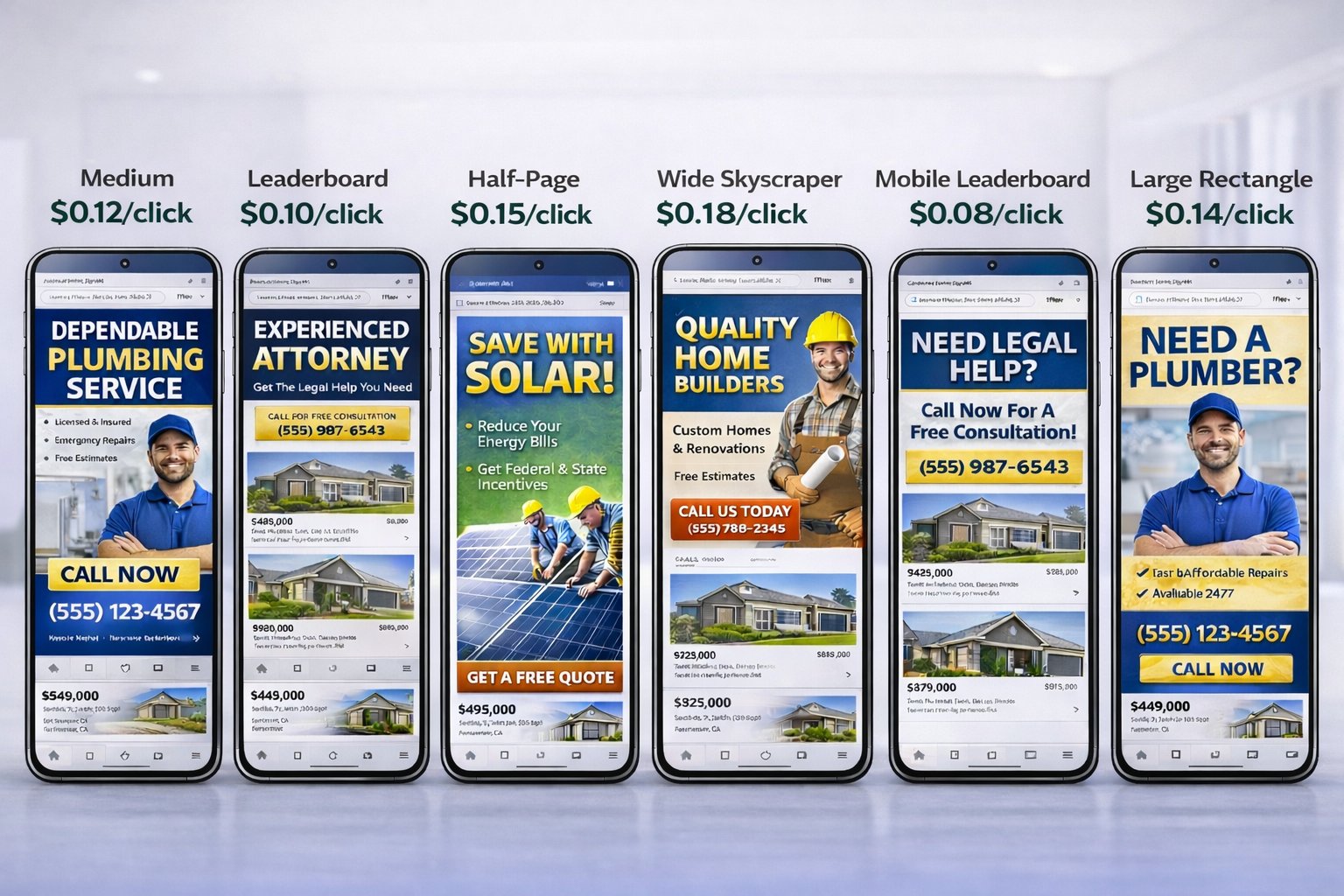
All 6 Ad Formats — Real Mobile Screens

All 6 Propworths ad formats on real mobile phones

Medium · Leaderboard · Half-Page · Wide Skyscraper · Mobile Leaderboard · Large Rectangle — exactly as buyers see them

View Full Preview Guide →
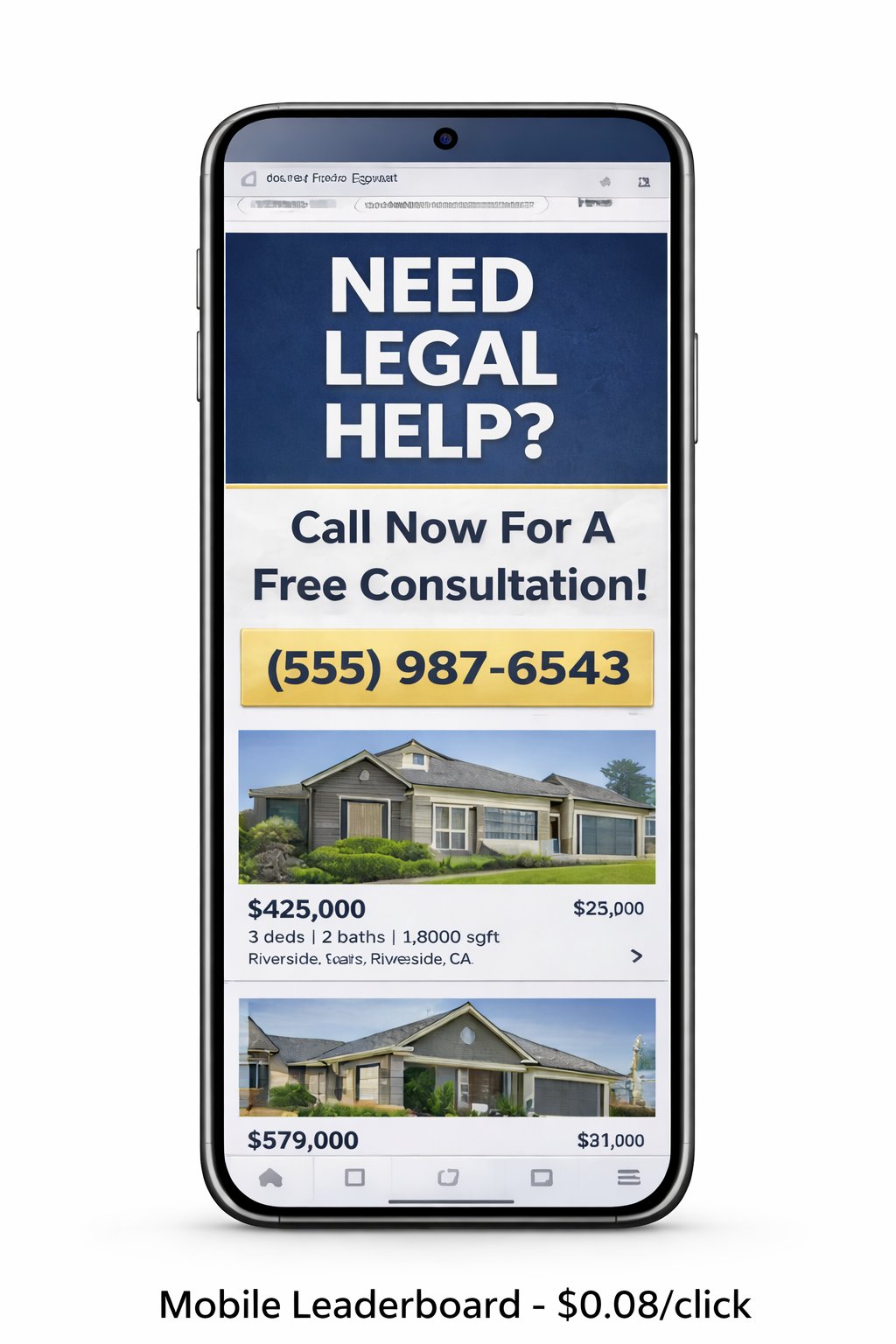
Mobile Leaderboard Ad

Format Spotlight

Mobile Leaderboard — $0.08/click

The most affordable format. Appears at the top of every mobile page. Sticky, unmissable, and highly visible. Perfect for legal, financial, and service businesses wanting maximum mobile reach at minimum cost.

You only pay when someone clicks — 320 × 50 px · Mobile only
How it works

How Self-Service Advertising Works

You design your ad, upload it, pay online, and we approve it. Your ad can be live within 24 hours.

1

Design Your Ad

Create your ad to our exact specifications (sizes and formats below). You control the creative — your brand, your message, your design.

2

Upload & Configure

Upload your ad file, choose placement, select target regions, set duration, and enter your landing URL.

3

Pay Online

Pay securely via card, PayPal, or EFT. Your ad is queued for review immediately after payment.

4

We Approve & Go Live

Our team at advertise@propworths.com reviews within 24 hours. Once approved, your ad goes live instantly.

You design it. You upload it. You pay for it. We approve it. An email notification is sent to advertise@propworths.com for every submission. We review, then click approve or send feedback — all within 24 hours.
Quality control

Ad Approval Process

Every ad is reviewed by our team before going live. Quality for buyers, credibility for your brand.

1

You Upload

Upload creative + select placement + pay

2

Email Notification

Sent to advertise@propworths.com

3

Team Reviews

Specs, quality, compliance — 24hrs

4

Approve / Feedback

Click approve or request changes

5

Live!

Ad goes live + confirmation email

What we check: Correct dimensions & format · Image quality · Content accuracy · No misleading claims · Compliance · Landing URL works
Rejected? You get an email explaining what to fix. Resubmit at no extra cost. Payment is held until approved or refunded if you stop.
Good to know

Advertising FAQ

Common questions about self-service advertising.

Do I need to design my own ad?
Yes — you create your own ad creative to our specifications. This gives you full control over your brand and messaging. Use any design tool (Canva, Photoshop, Figma) and export in PNG, JPG, GIF, SVG, or WebP at the exact pixel dimensions for your placement.
What file format do you recommend?
PNG is recommended — lossless quality with transparency support. Use JPG for photo-heavy ads, GIF for simple animations (max 15 seconds, 3 loops), and SVG for vector graphics. Always supply @2x resolution for retina displays.
Want to see exactly how your ad will look? View our Visual Ad Preview Guide — with laptop and mobile mockups for every ad type, plus full CPC pricing details and payment system explained.
How long does approval take?
Standard: up to 24 hours. Professional tier: same-day. Premium/Enterprise: instant. Every ad is reviewed by our team at advertise@propworths.com. You'll receive an email when approved or if changes are needed.
What if my ad is rejected?
You'll get an email explaining exactly what to fix (wrong size, blurry, etc.). Resubmit at no extra cost. Payment is held until approval. Full refund if you choose not to continue.
Can I change my ad after it's live?
Yes — upload a new creative from your dashboard anytime. The replacement goes through review. Your current ad runs until the new one is approved — no downtime.
How does geographic targeting work?
Your ad shows only to users browsing listings in your selected region. A Cape Town attorney's ad only appears on Cape Town listings. You can target by country, region, or specific city.
What if I don't have design skills?
Free tools like Canva make it easy — search for "web banner" templates at the right size, add your logo and text, export as PNG. Takes 10 minutes.
Is there a minimum commitment?
No contracts, no lock-in. Your $50 minimum deposit is your only commitment. Use it over a week or a year — your choice. Cancel anytime.
Get started

Upload Your Ad

Fill in the form, upload your creative, select placement, and pay — all in one step.

1. Your Details
2. Upload Ad
3. Pay & Submit
Your Business Details
Ad Placement
Upload Your Ad Creative
Click to select your ad file
PNG, JPG, GIF, SVG, WebP — max 300 KB — must match exact placement dimensions
Your ad must match the exact pixel dimensions for your chosen placement. See the Ad Specifications section for all sizes. We recommend @2x resolution for retina displays.
Duration & Payment
Read the Advertising Agreement
This Advertising Agreement is between the advertiser and Propworths Global Property (Pty) Ltd (Reg No 2025/923396/07, P.O. Box 1023, Somerset West, South Africa). Ads are subject to review and the Advertising Policy; Propworths may decline or remove any ad that is misleading, unlawful, or off-brand. Payment is only taken once your ad is approved — if it is not approved you are not charged. This Agreement is governed by the laws of the Republic of South Africa.
Payment is only taken once your ad is approved. If it is not approved you are not charged.